Clear Sky Science · en
SPARTAN: automated table detection and extraction from documents using advanced OpenCV heuristics and OCR techniques
Why smart tables matter
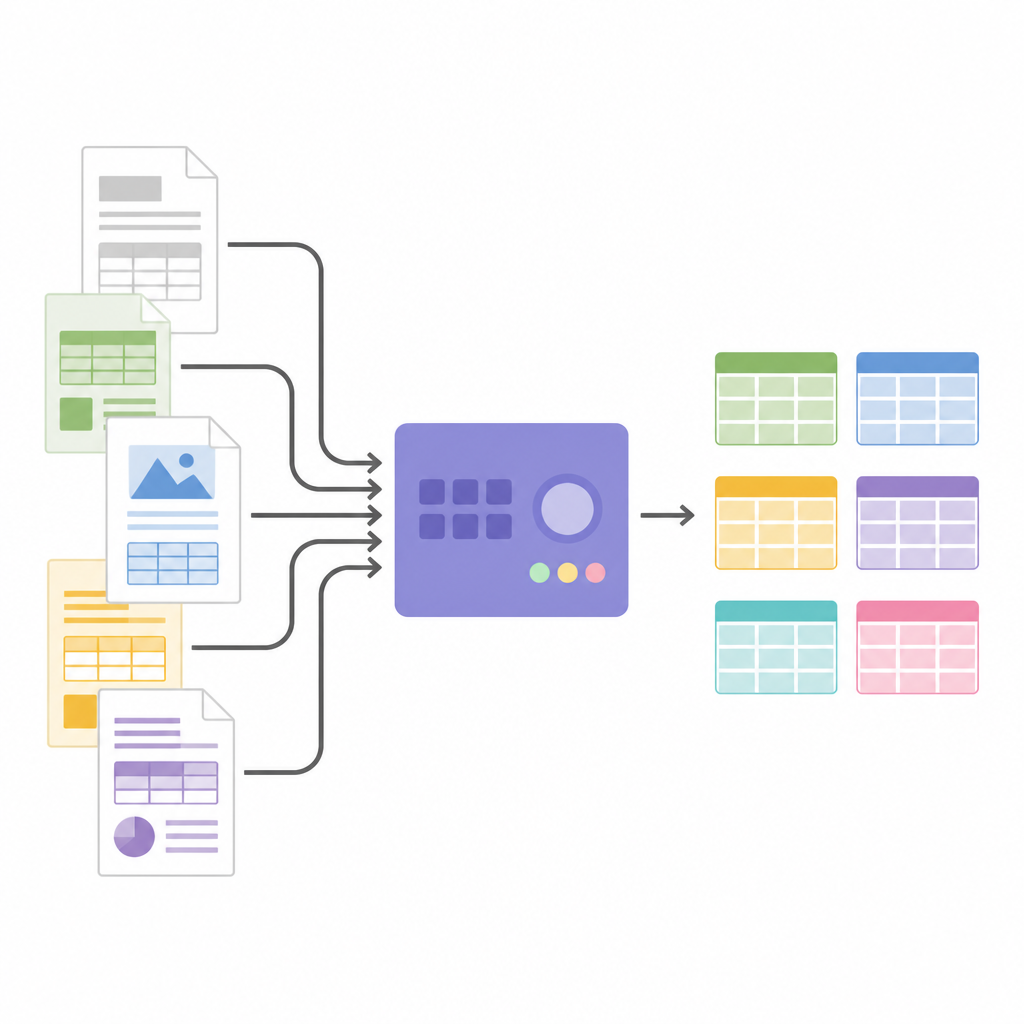
Much of the information that runs modern business and research lives inside tables in PDF files, from product change notices to scientific papers and certificates. These tables look tidy to human eyes, but computers struggle to read them automatically, especially when millions of pages need to be processed. This paper presents SPARTAN, an open-source system designed to pull clean, usable tables out of everyday PDFs quickly, reliably and without expensive artificial intelligence hardware.
The problem with today’s digital paperwork
PDFs are the workhorse format for reports, statements and technical documents because they appear the same on any screen or printer. That visual reliability comes with a hidden cost: PDFs usually lack clues about the structure of their contents. While plain text can be extracted fairly easily, tables are far trickier. They come with different layouts, missing borders, merged cells and multi-level headers, and may even be embedded as images. Earlier rule-based tools that relied on simple cues like lines and whitespace were fast but broke down on anything beyond simple grids. Newer deep-learning approaches recognize complex tables better, but they demand large labeled datasets, powerful GPUs and behave like black boxes, making them costly and hard to trust.
A different path to reading tables
SPARTAN (Structured Parsing and Relevant Table Analysis) takes a middle road by using carefully crafted image-processing rules instead of heavy neural networks. Written in Python and built on OpenCV and optical character recognition (OCR), it runs on ordinary CPUs and needs no training step or massive datasets. The system begins by converting each PDF page into a standardized grayscale image and sharpening the contrast between text, tables and background. An optional column-detection step splits pages with multi-column layouts, such as scientific articles, so that later stages do not confuse text columns with table columns. This careful preparation sets up the rest of the pipeline to work on consistent, noise-reduced images.
How SPARTAN finds and rebuilds tables
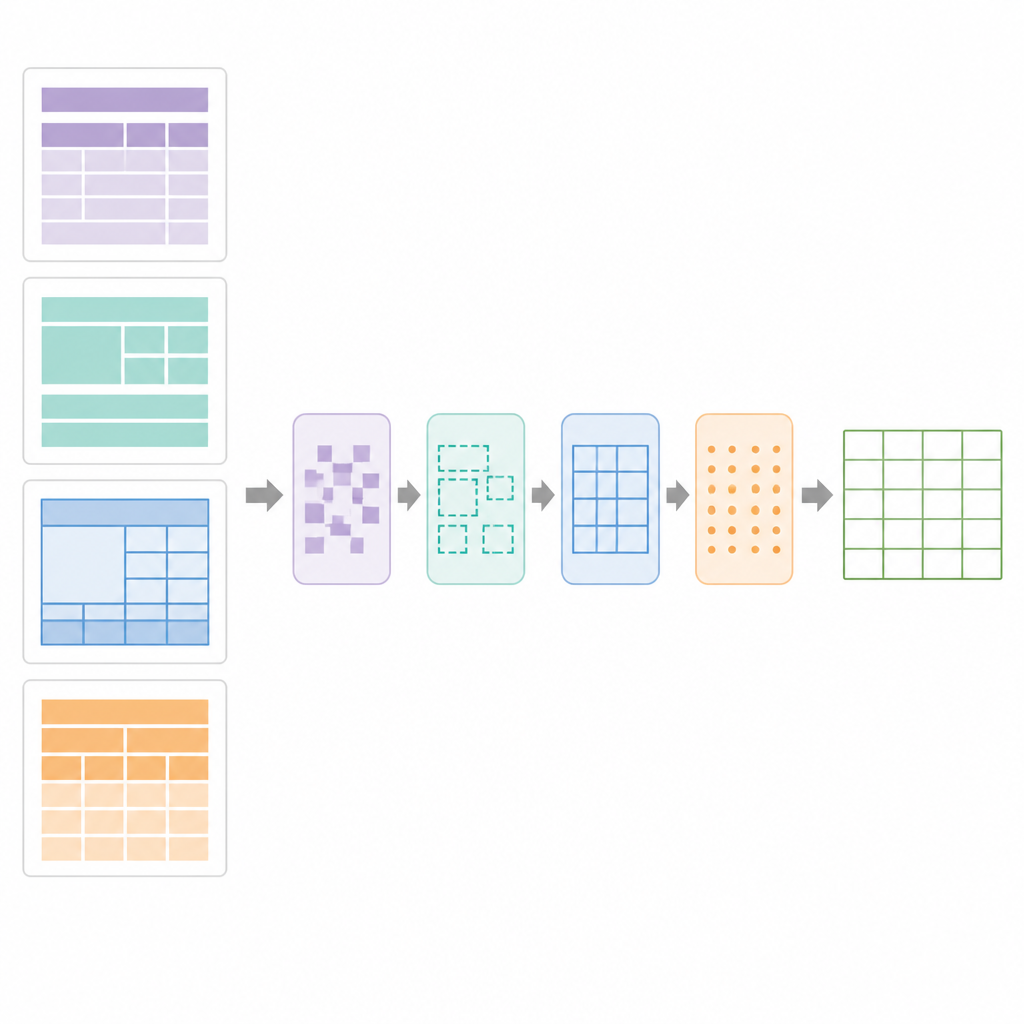
At the heart of SPARTAN is a region segmentation strategy that splits each page into four zones: the text before the first table, the text between tables, the text after the last table and the table areas themselves. For tables with visible borders, the system detects lines, groups cell-shaped contours and clusters them into candidate tables. For borderless tables, it looks at how words line up vertically and horizontally, inferring columns and rows from alignment patterns and then drawing “pseudo” boundaries so that later steps can treat them like normal grids. A refining stage uses precise line-segment detection to repair broken borders, remove stray lines and confirm valid table grids. Next, a data-curation module analyses the grid to spot key–value tables, normal row-and-column tables, nested headers and merged cells. It then builds a digital blueprint of the table, recording which cells span multiple rows or columns so that OCR can be applied intelligently.
Turning pictures into structured data
Once the table structure is known, SPARTAN crops out cell images and sends them to an OCR engine. It supports two strategies: reading each cell one by one for maximum accuracy, or reading groups of cells together to speed up processing when tables are large. Clever tricks, such as slightly shrinking each crop and using invisible separator images between cells, help avoid common OCR mistakes and keep rows aligned. The system can merge related tables across pages and exports everything as JSON or CSV, ready for analysis or feeding into other software. Because the architecture is modular, users can swap OCR engines, tune thresholds, or plug in large language models at the end to label columns, build knowledge graphs or extract specific facts without changing the core table-finding logic.
How well it works in the real world
The authors tested SPARTAN on more than twenty thousand pages drawn from electronic product change notices, scientific journals, certificates and datasheets, including many tricky borderless and nested tables. Compared with popular tools such as Tabula, TabbyPDF, Deepdoctection and EMbTTBF, SPARTAN achieved higher precision, recall and overall F1-score for table detection, together with better character accuracy after OCR. It also ran faster than most deep-learning-based systems and used far less memory, completing a typical page in a few seconds on a standard laptop. The main weak spots appeared on very low-quality scans or highly decorative layouts, where the system prefers to miss doubtful tables rather than flood the output with false hits.
What this means for everyday users
For small and medium organizations that cannot afford large AI infrastructures, SPARTAN shows that well-designed rules and modern image analysis are still powerful tools. It offers a transparent and tunable way to unlock tables from everyday PDFs and turn them into structured data that spreadsheets, databases and analytics tools can understand. In doing so, it narrows the gap between simple, brittle scripts and heavyweight neural networks, making large-scale, explainable table extraction more accessible to anyone who works with complex documents.
Citation: Nandurbarkar, S., Chaudhari, A.Y. & Mulla, R. SPARTAN: automated table detection and extraction from documents using advanced OpenCV heuristics and OCR techniques. Sci Rep 16, 14954 (2026). https://doi.org/10.1038/s41598-026-44325-7
Keywords: PDF tables, document analysis, table extraction, OCR, OpenCV