Clear Sky Science · en
A hybrid spatial blur detection and restoration algorithm for smartphone captured document images
Why blurry phone photos of papers matter
Anyone who has snapped a photo of notes, a form, or an old letter with a phone knows the frustration of trying to read smeared, uneven text afterward. Blur from shaky hands, poor focus, or bad lighting doesn’t just annoy human readers—it also confuses automatic text-reading software used in scanning apps, archives, and courts. This paper presents a practical way to rescue such flawed document photos, turning messy, unevenly blurred pages into clean, computer-readable black-and-white images without relying on heavy artificial-intelligence models.

The problem with real-world document photos
When we photograph documents on phones, blur is rarely uniform. Parts of a page may be sharp while other regions are out of focus or smeared by motion or shadow. Most traditional cleaning tools treat the whole image as if the blur is the same everywhere, which often leads to either over-smoothing sharp text or failing to fix badly damaged regions. Modern deep-learning systems can do better, but they need large labeled datasets, powerful graphics chips, and careful training—resources that are not always available in offices, archives, or low-cost devices. The authors instead aim for a light, training-free method that works well on ordinary computers and phones.
A three-stage cleanup pipeline
The researchers design a step-by-step pipeline that acts like a careful digital conservator. First, each camera-captured page is straightened so that the sheet looks like a flat scan rather than a warped photograph taken at an angle. Then, a classic sharpening procedure called Richardson–Lucy deconvolution is applied with a simple blur shape to gently restore overall crispness and bring out faint strokes. After this stage the page is clearer but still contains spots of stubborn blur and noise, so the method does not stop there.
How the method finds and fixes blurry spots
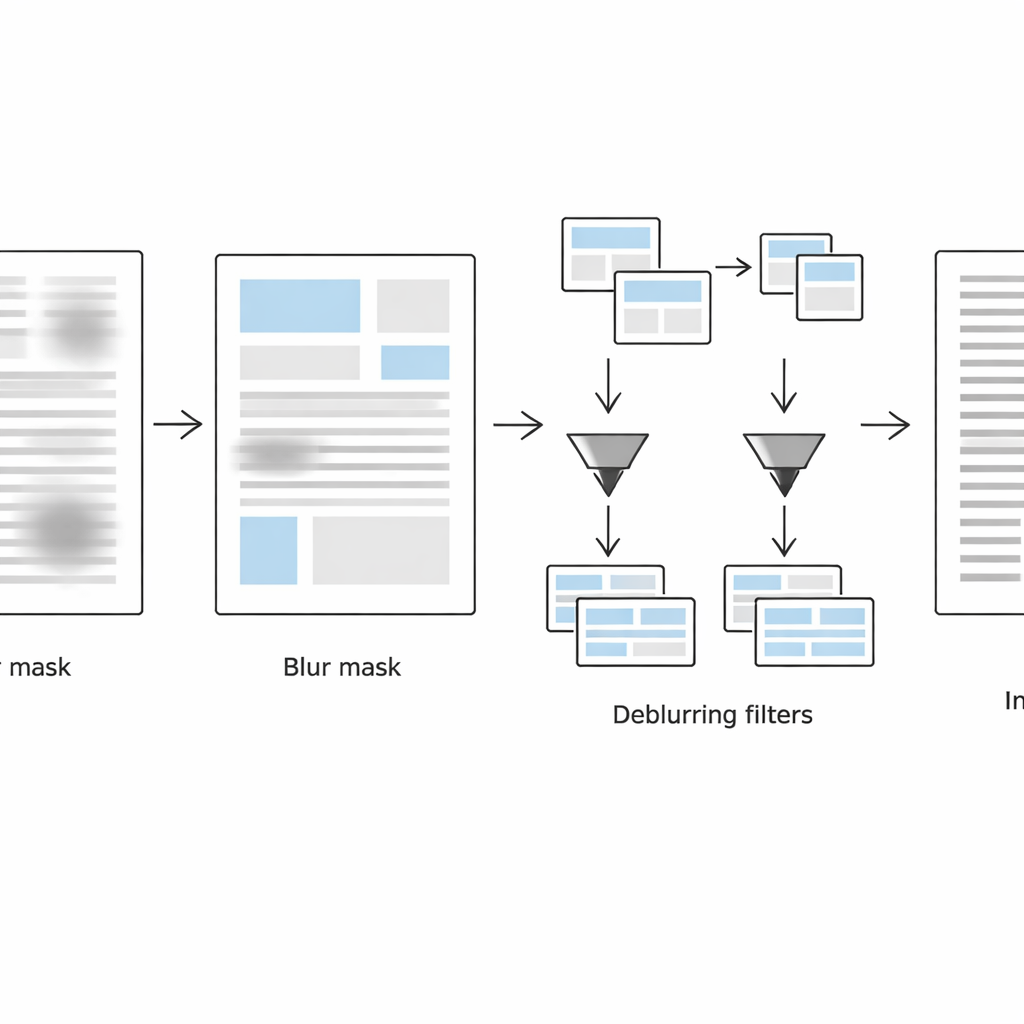
The second stage focuses on detecting exactly where the page remains blurred. The system looks at each small neighborhood in two complementary ways: in the normal image domain it uses a Laplacian measure of local edge strength (sharp edges mean likely clear text, weak edges suggest blur), and in the frequency domain it inspects how much fine detail has been lost. By combining these two clues, it builds a blur mask that separates blurred from non-blurred regions. Simple shape-cleaning operations then smooth this mask into coherent text blocks instead of scattered noisy pixels.
Treating sharp and blurred text differently
In the third stage, the page is virtually split into two versions: one containing primarily blurred text blocks and the other containing mostly sharp ones, guided by the blur mask. For each set of regions, the method applies an adaptive black-and-white conversion tuned to local conditions. Blurred regions receive larger analysis windows and stronger contrast adjustments to recover faded strokes, while already-sharp regions are processed more gently to avoid creating grainy artifacts or breaking strokes. The algorithm keeps only location data for these regions—stored in lightweight metadata files—so it can recombine the processed pieces into a single, clean, binarized document that is ready for optical character recognition.
How well it works and why it matters
The authors test their approach on 417 real smartphone document images and multiple levels of added blur, lighting problems, and noise. They compare their pipeline against several popular binarization methods and against modern image-restoration systems, using a wide range of quality scores and direct measurements of text-recognition accuracy. Across both moderate and severe blur levels, their method consistently preserves more strokes, loses fewer characters, and maintains more stable performance than the alternatives, all without training a neural network. For everyday users, this means phone photos of notes, legal papers, or historical pages can be turned into sharper, more legible, and more searchable documents, even on modest hardware and in resource-limited settings.
Citation: Karthik, U., Nair, B.J.B., Rani, N.S. et al. A hybrid spatial blur detection and restoration algorithm for smartphone captured document images. Sci Rep 16, 12648 (2026). https://doi.org/10.1038/s41598-026-38494-8
Keywords: document image restoration, blurred smartphone scans, optical character recognition, image enhancement, digital archiving